After creating the Realbook preset for C4D, perfect for creating and animating a book, I received several messages asking me to create a preset for newspapers, magazines and notebooks.
The substantial difference lies in the form of the sheets. While in the Realbook each sheet starts from the spine and contains two pages, in the Realmagazine (this is the name of the new preset) the sheets are folded and each of them can contain other sheets inside, as in reality. This is the substantial difference that appears to the eye, but there are others that make this preset more powerful. Powerful because it allows much more control in terms of configurations and possible animations. To manage this power and be able to express it as much as possible, it will be necessary to make a greater effort to understand how it works.
Below you can see some sample videos that partially illustrate its potential.
Also I could not resist the temptation to use a C4D content browser scene, created by the extraordinary Raphael Rau, to get the renderings you find at the end of the post.
XPresso
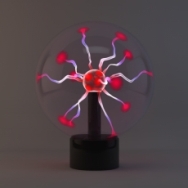
Plasma Ball – Free Download
Bee and Frog

Here they are the two demo videos of bee and frog models.

Graph Maker V3.1
Realbook preset – the best book rig for C4D

Finally the new version 3 of the Realbook preset is here.
There are important news that will make editing the book faster and that will make the result more realistic.
Below are the new features summarized in a few cryptic words:
Quick System for Inserting and Deleting pages
Realistic Random Distribution System
New Cover Textures System
Pages with Thickness
Parametric Headband
Adjustable position of the pages
Landing option for closed and opened pages
Global Scale Function
Cover Bend Dimension
Several Adds and Corrections
https://giannilorusso.com/2018/05/14/realbook-v-3-0-released/
In the following links you will find two videos, without audio, illustrating the functionality of my book rig preset (it is related to the previous version). Continue reading
Realbook V.2.4 with curved spine – opening

Realbook V.2.4 – Curved Spine (Quick Tip)

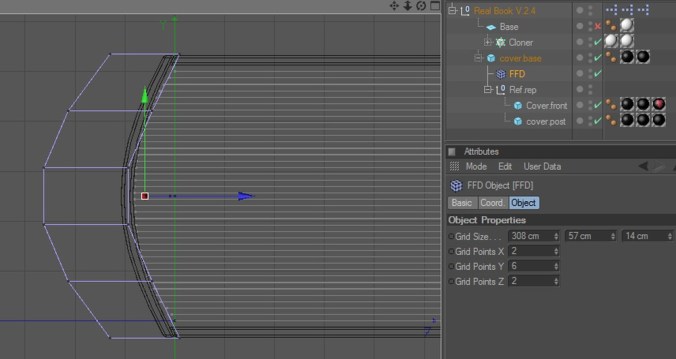
If you need a book with a curved spine on the hard cover, just add an FFD deformer as a child of the Cover Base object and deform it. Don’t forget to increase the number of X Segments of the Cover Base object.

Realbook with custom pages
If you need a book with a custom pages, for example with rounded corners or with thickness and so on, just follow these steps:
1.

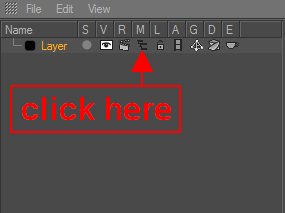
Go to the Layer Manager and make the hidden layer visible.
2.

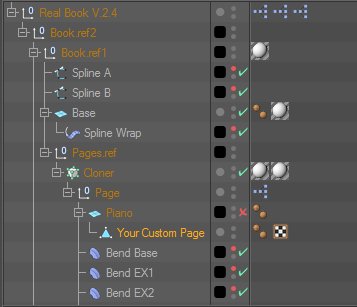
Create your own geometry for the page (with rounded corner, with thickness, …) and make it child of the Piano geometry. Adjust the position and the dimension (depend on your poligon).
3. Now disable the Piano geometry.
4. Return on the Layer Manager and hide the layer again.
5. Duplicate the page.
6. Finish.
Here it is the demo video of the Plasma Ball preset.